
Agenda Builder
Build, approve, and publish agendas with software built to keep pace with your day.
Say goodbye to the copy-paste cycle
Building an agenda shouldn’t mean reformatting the same document over and over, hunting for the right version of a template, or manually updating dates every single meeting.
JustMeetings gives you a drag-and-drop agenda builder that handles the structure, the formatting, and the publishing, so you can focus on the content instead of fighting the software.
Daily detours...
- Reformat the same template for every meeting
- Manually renumbering items when a new item is added
- Word table get cut in half the moment it converts to PDF
But with more good days...
- Templates that clone in one click and stay consistent every time
- Automatic item numbering, with continuity even migrating off a legacy system
- Convert to PDF with perfect, standard format
- Public preview shows exactly what citizens will see before anything publishes
- Bookmarked items duplicate in one click, formatting and all, so staff edit instead of rebuild
What if you could...

CUT THE RISKS
Recover instantly if a meeting accidentally gets published early?

SKIP THE BUSYWORK
Publish a full meeting agenda with one click, not hours?

GET THE HELP YOU NEED
Every report accessible, with a built-in checker and required alt-text?
Agenda Builder
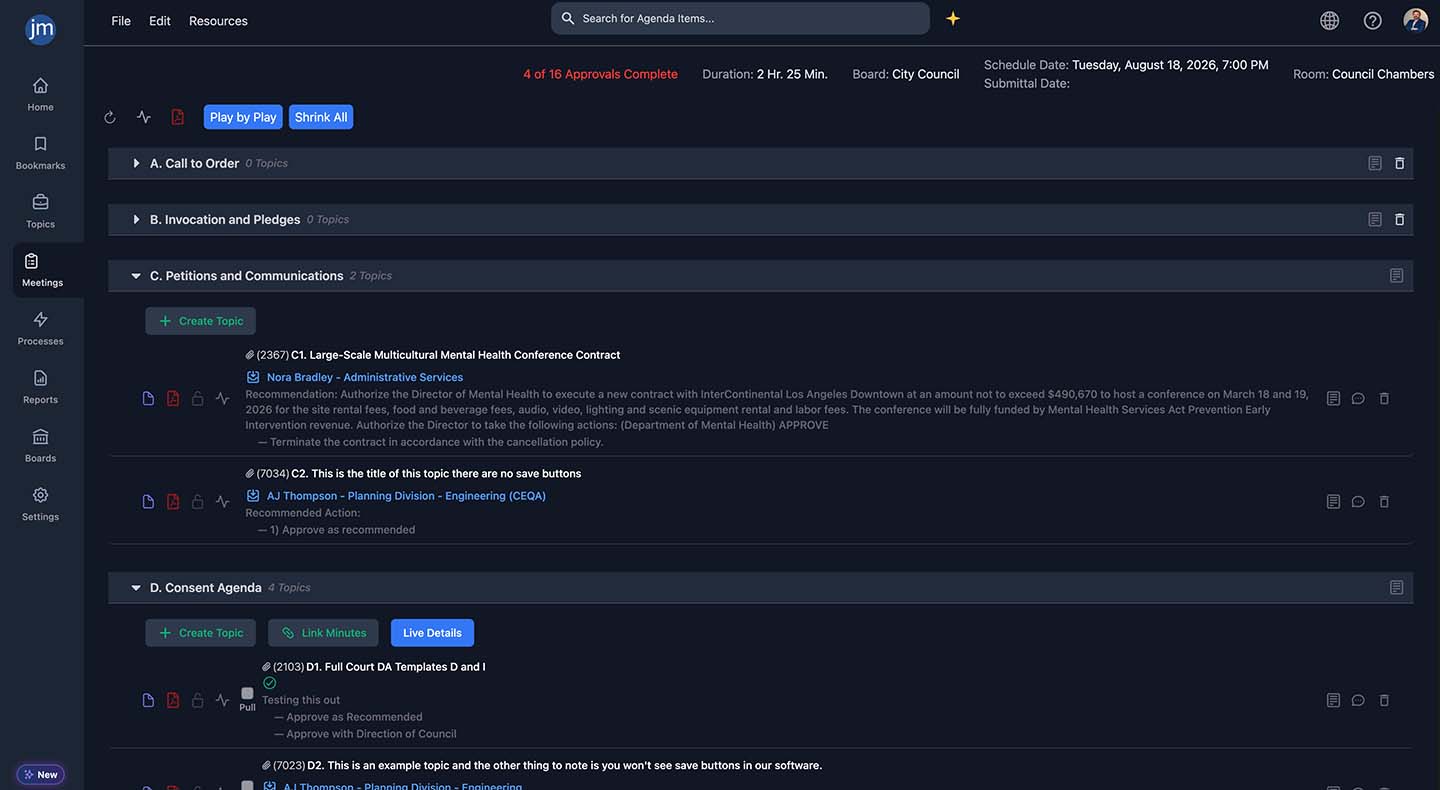
An agenda builder is the core workspace where staff assemble meeting content, group items, route them for approval, and prepare the post-meeting requirements. It’s the feature that staff use every single day..
Flexibility
Item Creation
Build from a central topics list or directly on a meeting, with a pending queue for anything not yet assigned to a date, plus "on behalf of" creation for admins assisting another staff member.
Standards
Continuous Auto-Numbering
Items number themselves the moment they're added, with continuity support even when migrating off a legacy system.
Compliance
One-Click Duplication
Bookmark and duplicate recurring items, formatting included, so staff edit existing content instead of rebuilding it.
Easy-to-Use
Drag-and-Drop Structure
Reorder, rename, delete, and restore groups and items without losing underlying data, with per-group control over who can add items where.
Readability
Public Agendas
Title, description, and subitem fields keep agendas clean instead of one long run-on line, and the same fields populate live meeting-room screens.
Searchable
Internal Tags & Custom Fields
Group and filter items across every board by fiscal year, contract number, or agency-defined fields, invisible to the public.
Compliance
Unlimited, Clonable Templates
Run a different template per meeting type or department, duplicated in one click.
Streamline
Approval Visibility at a Glance
See every item's status across a whole meeting, pre-flag consent items before the meeting starts, and pull a full audit trail at a click.
Scripting
Play-by-Play
Write talking points once; they display automatically on the item when live. See the dedicated Play-by-Play page for the full breakdown.
Accessible
Report Editor
Autosave, Word paste support, native tables, a built-in accessibility checker, internal commenting, and revision history with restore.
Preview
Live PDF Views
See exactly how a report will look, insert page breaks, and print or download before it's ever published.
Compliance
Permanent, Shareable URLs
Every published meeting gets a stable link that can live directly on the agency's own website.
Frequently Asked Questions
Yes, items can be placed in a pending queue and worked on fully, report, attachments, approvals, before ever being assigned to a specific meeting.
This is intentional. Word's HTML and accessibility output aren't reliable enough to meet the platform's accessibility standard, so the browser-based editor exists specifically to guarantee an accessible result.
It may look fine on screen but can get cut off in the PDF, since Word tables carry fixed pixel widths instead of percentages. The editor's native table tool avoids this and converts cleanly every time.
No, templates are unlimited and easy to clone, so agencies commonly run a different template per meeting type or department.